WordPress Plug-in String Translation
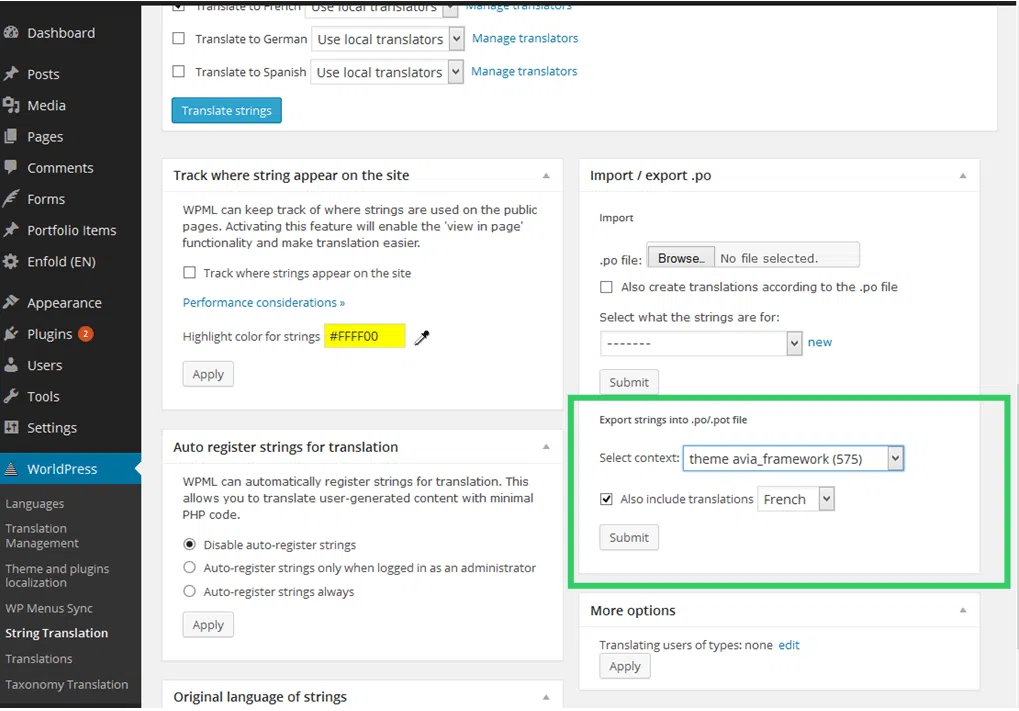
We recommend exporting each context separately, the number of strings to be translated is shown in brackets.
Ticking “Also include translations [ ]” box and picking a language allows you to export any strings already translated for that language in the .po file. These won’t need to be translated again, but will appear in the .po file and can be checked by the translator for consistency and accuracy.
The same page allows you to import the translated .po files.
The item “Select what the strings are for” allows you to pick the context. This will allow the plug-in to assign the uploaded file to the correct theme or plug-in.
The checkbox “[ ] Also create translations according to the .po file” will create translations from the .po file and mark them as complete.
We can translate your files into any language required. The file format can handle complex languages including Japanese, Chinese, Korean and Arabic.